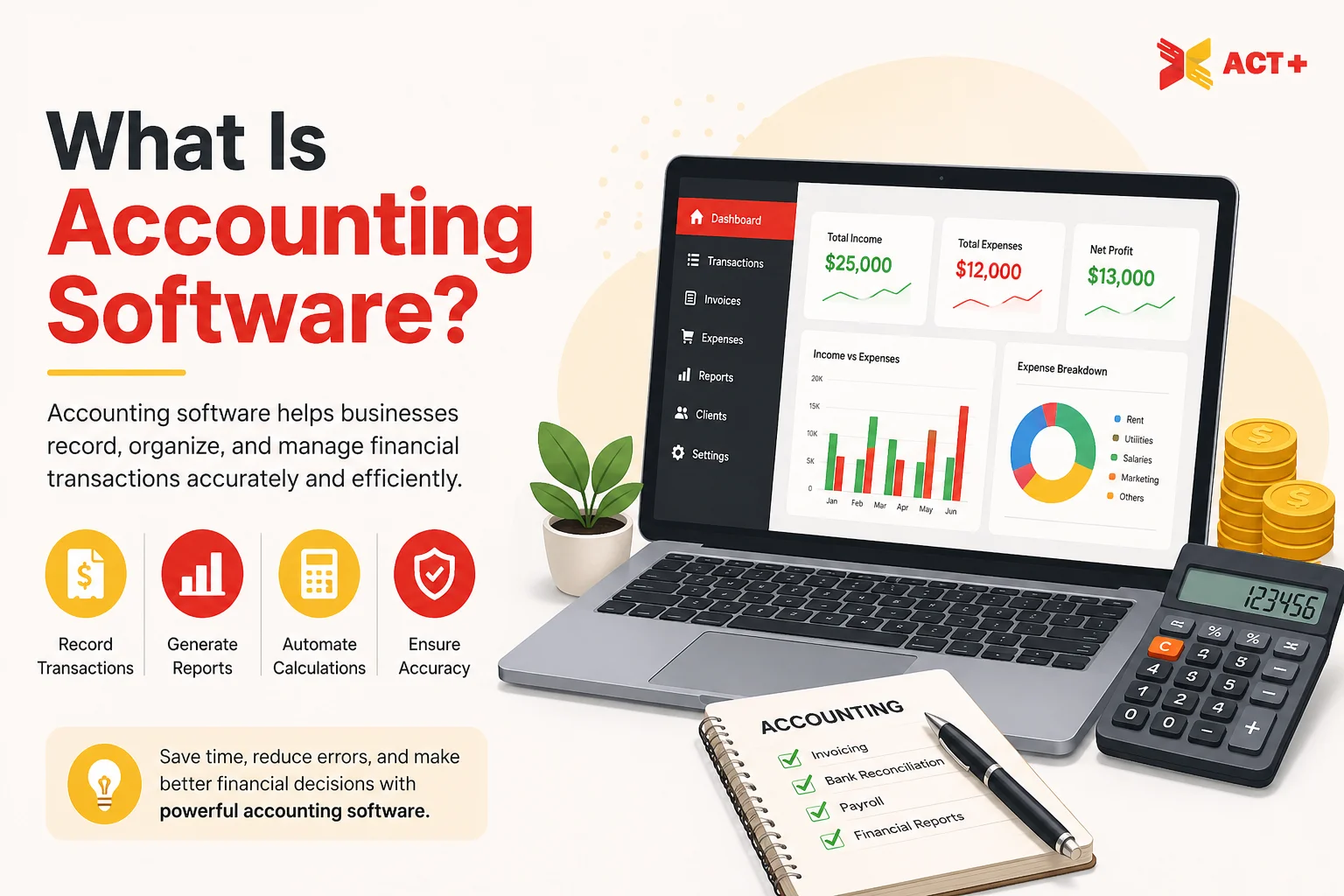
Accounting software is a digital tool that businesses and accounting professionals use to simplify financial management. This digital tool automates transaction recording and reporting. Accounting software keeps records accurate, meets tax requirements, and helps businesses make smart financial choices.
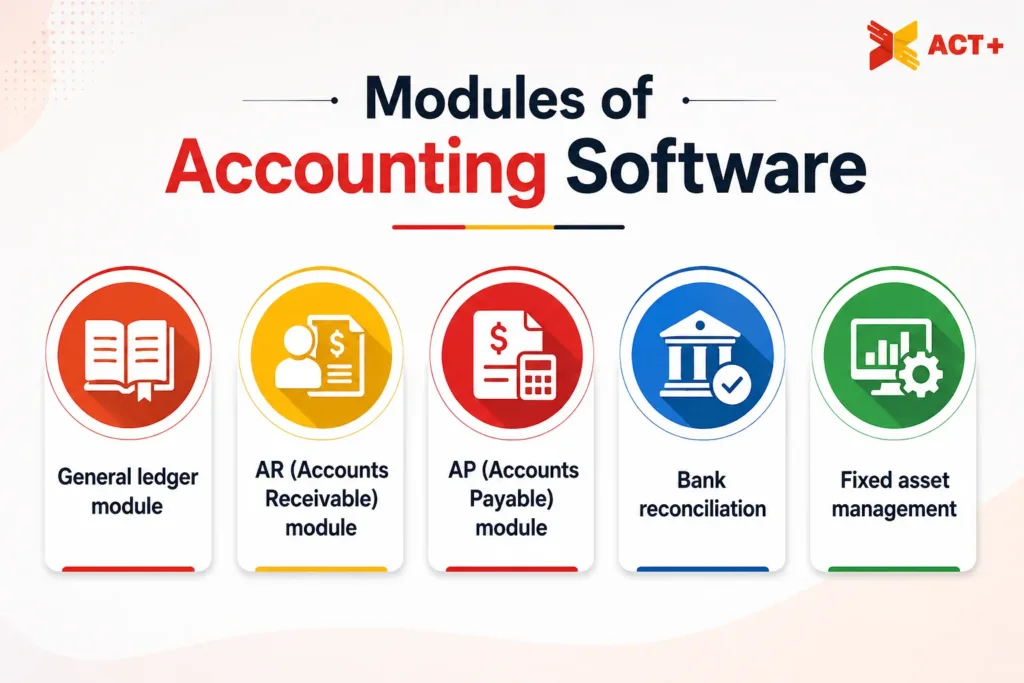
The features of accounting software are general ledger management, integrations, payroll processing, reporting and analytics, and cloud access. Other features include multi-currency, budgeting and forecasting, tax management, and inventory management. There are different modules to accounting software, such as the general ledger module, the AR (Accounts Receivable) module, the AP (Accounts Payable) module, bank reconciliation, fixed asset management, payroll management, and financial reporting.
There are different types of accounting software, each made to meet the needs of a specific business. There is a solution for every size and type of business, from simple bookkeeping software used by freelancers to full-scale accounting systems built for large enterprises. These solutions are Xero, QuickBooks Online, Sage Accounting, Zoho Books, FreeAgent, and SAP.
What Is Accounting Software?
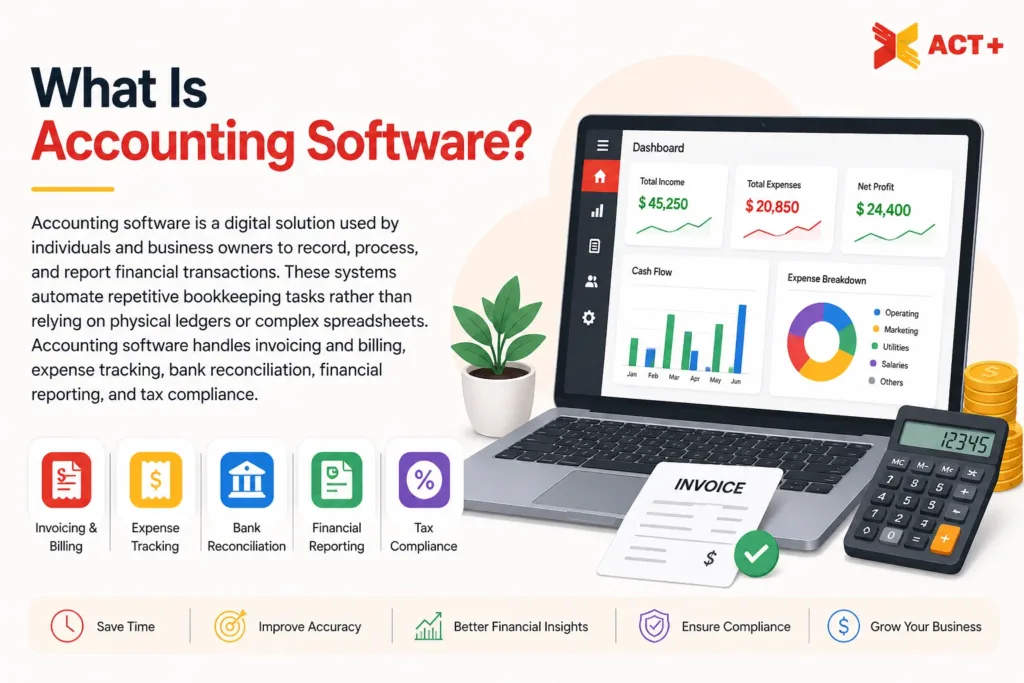
Accounting software is a digital solution used by individuals and business owners to record, process, and report financial transactions. These systems automate repetitive bookkeeping tasks rather than relying on physical ledgers or complex spreadsheets. Accounting software handles invoicing and billing, expense tracking, bank reconciliation, financial reporting, and tax compliance.
How does accounting software work?
Accounting software works by automatically recording every financial transaction, like sales, expenses, and payments, using a system called double-entry bookkeeping. Each transaction in this system affects at least two accounts to keep the books balanced. Accounting software stores all this data in a central record called the general ledger, categorises it by account type, and connects with the bank to verify accuracy.
This software quickly generates financial reports like profit and loss statements and balance sheets. Accounting software then calculates taxes and connects with other business tools, such as payroll and inventory systems. It essentially turns raw financial data into clear, organised, and actionable insights with reduced manual effort.
✓ Free initial consultation
Why is the Accounting System Important?
An accounting system is important because it keeps a business’s finances organised, accurate, and transparent. It helps track income and expenses, manage cash flow, and ensure tax compliance, which reduces the risk of costly errors or legal issues. It also provides real-time financial reports that help business owners make informed decisions and plan for the future. Accounting software builds trust with investors, banks, and stakeholders by maintaining transparent and reliable records.
What are the Features of Accounting Software?
The features of accounting software include general ledger management, integrations, payroll processing, reporting and analytics, cloud access, multi-currency, budgeting and forecasting, tax management, and inventory management.
The features of accounting software are listed below.
- General ledger management: This feature records and organises all financial transactions in one central place. General ledger management serves as the foundation of accurate bookkeeping.
- Integrations: Accounting software must connect with other business tools, such as CRMs, payroll systems, and payment platforms. This feature creates a unified and productive workflow.
- Payroll processing: This digital solution automates employee salary calculations, tax deductions, and payments.
- Reporting and analytics: Accounting software generates real-time financial reports and insights. These insights help businesses track performance and make informed decisions.
- Cloud access: This feature allows users to access financial data from anywhere, anytime, on any device. This feature also offers flexibility and remote collaboration.
- Multi-currency: Accounting software handles transactions in multiple currencies with automatic exchange rate conversions. This feature is ideal for businesses operating internationally.
- Budgeting and forecasting: This feature helps businesses set financial targets, monitor spending, and predict future financial performance based on historical data.
- Tax management: This digital solution automates tax calculations and ensures compliance with local tax laws. It simplifies filing and reduces the risk of errors.
- Inventory management: This feature tracks stock levels, monitors the cost of goods, and manages supply chain activities. It makes sure the right products are available at the right time.
What are the Modules of Accounting Software?
The modules of accounting software are the general ledger module, the AR (Accounts Receivable) module, the AP (Accounts Payable) module, bank reconciliation, fixed asset management, payroll management, and financial reporting.
General ledger module
This is a core module that records all financial transactions across the business and serves as the foundation for all financial reporting. It collects data from other modules, such as Invoicing, Payroll, and more, to provide a complete view of the company’s accounts. This module also keeps the Chart of Accounts, categorising everything into Assets, Liabilities, Equity, Revenue, and Expenses.
AR (Accounts Receivable) module
The AR module tracks money owed to the business by customers. Its features include invoicing, credit memos, and aged debtors reports (showing who is late on payments). This module directly affects Cash Flow by helping the business collect revenue faster.
AP (Accounts Payable) module
The AP module tracks money the business owes to others, such as suppliers or utility companies. Its features are purchase order processing, invoice matching, and automated payment scheduling. This module helps maintain relationships with vendors and makes sure the business does not pay the same bill twice.
Bank reconciliation
This module automates the process of checking the software’s records against actual bank statements. It uses bank feeds to import transactions and suggests matches for open invoices or expenses. The bank reconciliation module is important for identifying bank errors, fraudulent activity, or missed transactions.
Fixed asset management
This module tracks the value over time for businesses that own expensive equipment, vehicles, or property. Its features involve automated depreciation calculations and tracking of maintenance schedules or disposal values. This module makes sure the balance sheet accurately shows the decreasing value of outdated equipment.
Payroll management
The payroll management module calculates employee salaries, wages, deductions, taxes, and benefits. It makes sure employees are paid accurately and on time.
Financial reporting
This module generates important reports like balance sheets, income statements, and cash flow statements to give a clear overview of financial health.
✓ Free initial consultation
What are the 4 modules of ERP?
The 4 modules of ERP (Enterprise Resource Planning) are finance, procurement, manufacturing, and inventory management.
The 4 modules of ERP are mentioned below.
- Finance: The finance module automates essential accounting tasks and provides real-time visibility into the organisation’s financial health. It handles the general ledger, accounts payable and receivable, and financial reporting. The finance module automatically updates when a sale is made in another department or when a raw material is purchased.
- Procurement: The procurement module handles the purchase of goods and services required for business operations. It manages purchase requisitions, issues POs (Purchase Orders), and evaluates supplier performance. This module makes sure that the business is buying materials at the best price and that the finance department knows what payments are coming due.
- Manufacturing: This module coordinates the complex process of turning raw materials into finished products for companies that create goods. It is responsible for BOM (Bill of Materials), production scheduling, and shop floor management. The manufacturing module helps align machines, labour, and materials to prevent disruptions or wasted time on the factory floor.
- Inventory management: This module tracks the quantity, location, and movement of items, even if they are raw materials, work-in-progress, or finished goods. It handles inventory tracking, warehouse management, and reorder point alerts. This module prevents stockouts (running out of a product) and overstocking (tying up too much cash in products sitting on shelves).
What are the Examples of Accounting Software?
Examples of accounting software are Xero, QuickBooks Online, Sage Accounting, Zoho Books, FreeAgent, and SAP. The required accounting software depends on the size of the business, its specific industry, and the required depth of financial reporting.
Freelancer and Solopreneur: FreeAgent, Zoho Books
FreeAgent is highly popular in the UK, especially because it is often provided free of charge to businesses and customers of banks like NatWest, RBS, and Mettle. It specialises in tax forecasting and automated “Smart Capture” for receipts. Zoho Books is known for offering generous free plans for small businesses with low transaction volumes. It also offers smooth integration with the broader Zoho productivity suite.
Small Business: QuickBooks Online, Xero, and Sage Accounting
QuickBooks Online is the most widely used platform globally. It is preferred for its reliable reporting, AI-driven transaction categorisation, and extensive mobile app functionality. Xero is highly regarded for its clean user interface, ease of collaboration with accountants, and a comprehensive ecosystem of over 1,000 third-party app integrations. Sage Accounting is often chosen by businesses that require more structured control, deep inventory tracking, and integrated payroll services.
Large Enterprise: SAP
SAP is best suited for big, complex organisations that need a powerful, highly customisable system to manage finance, HR, procurement, inventory, and operations. It is generally too complex and expensive for small or mid-sized businesses.
What are the Types of Accounting Software?
The types of accounting software are general accounting software, payroll management software, billing and invoicing software, ERP (Enterprise Resource Planning) software, industry-specific accounting software, and tax preparation software.
The types of accounting software are listed below.
- General accounting software: This software is designed to handle routine financial tasks for businesses of all sizes, such as bookkeeping, expense tracking, bank reconciliation, and financial reporting.
- Payroll management software: This software is specifically built to manage employee compensation, calculating salaries, wages, bonuses, tax deductions, and benefits. Payroll management software makes sure that employees get their pay on time and correctly, which helps with payslips and labour law compliance.
- Billing and invoicing software: This type focuses on creating and sending invoices, tracking payments, managing subscriptions, and following up on overdue accounts. It is popular among freelancers, consultants, and service-based businesses.
- ERP (Enterprise Resource Planning) software: ERP software is a comprehensive business management solution that integrates accounting with other core business functions. These functions are procurement, manufacturing, inventory, HR, and CRM. It also gives large organisations a unified view of their entire business operations.
- Industry-specific accounting software: This software meets the unique financial and operational needs of a particular industry, such as construction, healthcare, retail, hospitality, or nonprofit organisations. It includes features and compliance tools relevant to that specific sector.
- Tax preparation software: This type simplifies the process of calculating, filing, and managing taxes. Tax preparation software helps businesses stay compliant with local tax laws, maximise deductions, and file returns accurately and on time.
What are the Advantages and Disadvantages of Accounting Software?
The advantages of accounting software are mentioned below.
- Saves time: Accounting software automates tasks like generating reports, expense tracking, invoicing, tax calculations, and bank reconciliation. This automation reduces human error and saves time to focus on core business objectives.
- Real-time financial visibility: This software gives businesses an up-to-date view of their income and spending by connecting directly to their bank accounts. Real-time financial visibility means businesses know their financial performance.
- Smooth collaboration with accountants: Accounting software allows businesses to securely share their financial books with their accountant or bookkeeper in real time. This software reduces indirect communication and makes sure both parties are always on the same page.
- Simplified tax compliance: Accounting software has built-in tax features that handle VAT, MTD (Making Tax Digital), and income tax calculations automatically. This software makes it easy to meet tax deadlines, stay compliant with regulations, and avoid unnecessary fines.
- Faster payments and invoicing: Professional invoice templates combined with online payment integrations help staff get paid faster and more smoothly. Automatic reminders for overdue invoices confirm businesses never lose track of who owes them money.
The disadvantages of accounting software are discussed below.
- High cost: Many accounting software solutions come with subscription fees, setup costs, and additional charges for extra features or users. These factors increase expenses, especially for small businesses or startups operating on a tight budget.
- Learning curve: Accounting software can be complex and difficult to learn, particularly for those without a financial or technical background. Staff also require training before they use the system effectively.
- Technical issues and downtime: Accounting tools are vulnerable to technical errors, system crashes, and server downtime. These issues disrupt business operations and temporarily prevent access to important financial data.
- Security and data privacy risks: Storing sensitive financial data online exposes businesses to cyber threats, hacking, and data breaches. Confidential information is compromised if proper security measures are not in place.
- Limited customisation: Some accounting software does not fully adjust to the unique needs of every business or industry. Such software offers limited flexibility in terms of features, reports, or workflows.
How Do Businesses Benefit From Accounting Software?
Businesses benefit from accounting software by improving accuracy, allowing for better decision-making, increasing productivity, managing cash flow effectively, and supporting business growth.
The ways businesses benefit from accounting software are outlined below.
- Improving accuracy: Accounting software lowers human error by automating calculations and data entry. Such software makes sure that financial records are correct, reliable, and always updated.
- Allowing for better decision-making: Real-time financial reports help business owners and managers make informed decisions about spending, investments, and growth strategies.
- Increasing productivity: Accounting software automates repetitive tasks, which include invoicing, payroll, and bank reconciliation. This automation means employees focus their time and energy on more strategic and value-adding activities.
- Managing cash flow effectively: Businesses track outstanding invoices, send automatic payment reminders, and monitor cash flow in real time. This software makes sure businesses always have funds to meet their obligations.
- Supporting business growth: Business growth brings increasingly complex financial demands, and manual accounting processes no longer keep up. Accounting software solves this by automating these tasks, allowing companies to manage workloads with fewer staff. Such software keeps labour costs under control.
What is the Difference Between Accounting Software and ERP?
Accounting software focuses specifically on financial management, handling tasks like invoicing, bookkeeping, and payroll. ERP (Enterprise Resource Planning) is a comprehensive package that integrates different business functions, such as inventory, human resources, and procurement, into a single system. Accounting software manages the money, but an ERP provides a unified view of the entire organisation’s operations and data.
What accounting software do bookkeepers use?
Bookkeepers use industry-standard platforms like Xero, QuickBooks Online, and Sage Accounting for their reliable automation and cloud capabilities. Professional choice depends on the business’s scale, reporting requirements, and integration needs.
What accounting production software is available for small businesses in the UK?
Accounting production software available for small businesses in the UK includes Xero, QuickBooks Online, Sage Business Cloud, FreeAgent, and Zoho Books. These tools support UK-specific tax requirements like VAT and MTD (Making Tax Digital).
Is accounting software part of ERP?
Yes, accounting software is part of ERP, as an ERP system integrates multiple business functions into one unified platform. These functions involve finance, procurement, inventory, and HR. The accounting module within ERP handles financial transactions, reporting, and compliance, so it is an important part of the overall ERP system.
Is QuickBooks an ERP or CRM?
No, QuickBooks is not an ERP or a CRM, but accounting software. It offers some ERP-like features, such as inventory and payroll management, but it lacks the comprehensive business-wide integration that a true ERP system provides.
Is Xero considered an ERP?
No, Xero is not considered an ERP, but cloud-based accounting software. It integrates with multiple business tools and handles financial tasks, but it lacks comprehensive modules like manufacturing, procurement, and HR that an ERP system offers.
What are the top 3 accounting software?
The top 3 accounting software are Xero, Sage Accounting, and QuickBooks Online.
Why should I use accounting software?
You should use accounting software to save time, reduce errors, and stay organised. It automates invoicing, expense tracking, and tax calculations. Accounting software also gives you real-time financial insights, ensures tax compliance, and helps you make smarter business decisions.
Which accounting software is mostly used in the UK?
Accounting software mostly used in the UK includes Xero and QuickBooks Online, as these tools support UK tax requirements.
Does Accounting Make Auditing Easier?
Yes, accounting makes auditing easier by providing a clear, digital track of all financial activities. It improves accuracy and transparency, which allows auditors to verify data more effectively than with manual records.
What accounting software is accepted by HMRC?
Accounting software accepted by HMRC includes QuickBooks, Xero, Sage, and FreeAgent.
What is cloud-based accounting software?
Cloud-based accounting software is an online financial management tool that stores and processes data on remote servers rather than local computers. Examples include Xero, QuickBooks Online, FreshBooks, and Zoho Books. These tools are accessible from anywhere, anytime, through an internet connection on any device.
✓ Free initial consultation

About the Author: Ahmad Raza