
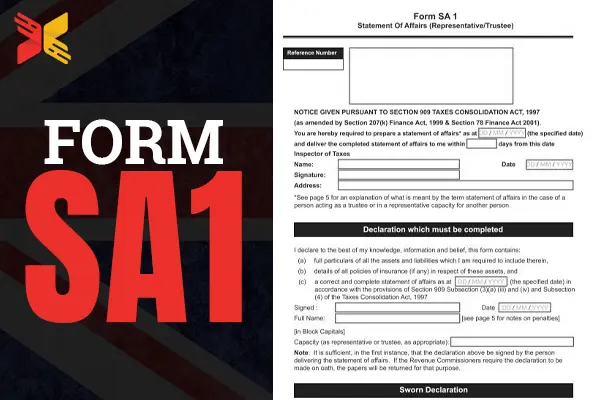
SA1 Form is used to register for Self Assessment with HMRC if you are not self-employed. Many people need this form when receiving rental income, dividends, foreign income, capital gains, or company director income. Once approved, HMRC issues a Unique Taxpayer Reference (UTR) number, which allows you to file tax returns and manage your tax obligations correctly.
Many UK taxpayers are unsure whether they should use the SA1 form or another HMRC registration method. Choosing the wrong process can delay your UTR number and create problems with tax deadlines.
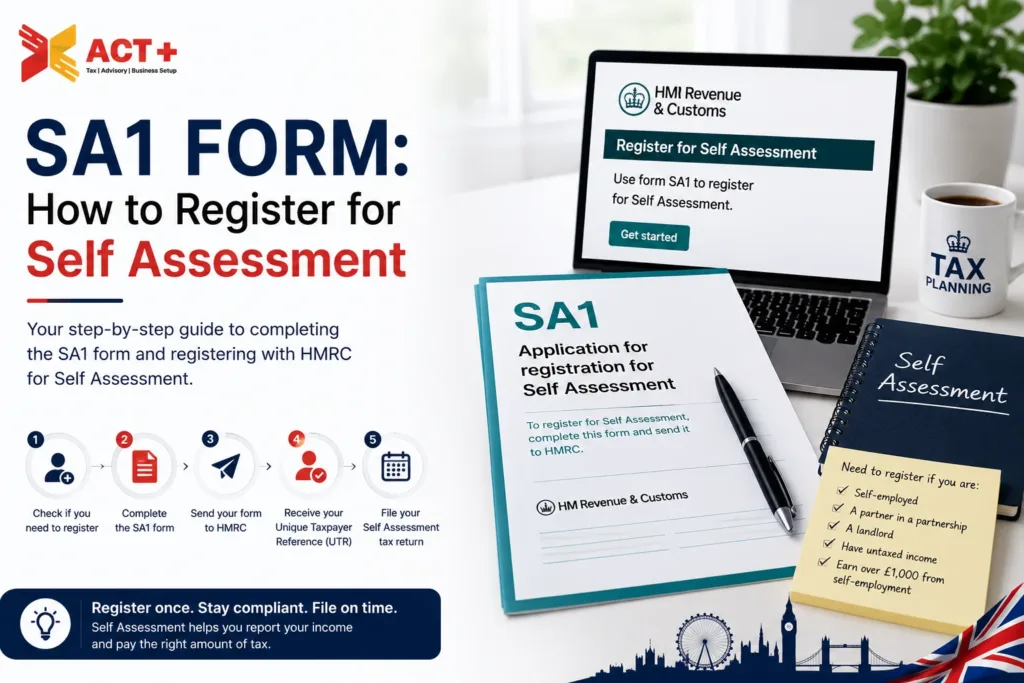
What Is an SA1 Form?
The SA1 form is a self-assessment registration form issued by HMRC. It allows individuals to apply for Self Assessment if they are not self-employed. The form helps HMRC collect personal and tax information. After approval, HMRC issues a Unique Taxpayer Reference (UTR) number. The HMRC SA1 form usually applies to people who receive untaxed income from sources other than self-employment. This may include:
- Rental income
- Foreign income
- Investment income
- Dividend income
- Director income
- High-income child benefit charges
- Capital gains
The SA1 form and HMRC process are different from CWF1 registration. CWF1 applies mainly to self-employed individuals and sole traders. Many taxpayers search for phrases such as “SA1 online,” “SA1 PDF form,” “form SA1 PDF,” or “register for self-assessment SA1” when they need to complete their registration quickly.
When Do You Need an SA1 Form?
You usually need an SA1 form when HMRC requires you to submit a self-assessment tax return, but you are not registered as self-employed.
You may need SA1 registration if:
- You became a company director
- You started receiving rental income
- You received foreign income
- You earned significant dividend income
- You need to report capital gains tax
- You must repay child benefit charges
- HMRC requested a tax return from you
If you already run a business as a sole trader, you normally use CWF1 instead of the SA1 form.
How to Get the Self-Assessment Tax Return SA1 Form?
You can get the HMRC SA1 form online through the HMRC website. The form is used to start your Self Assessment process if you are not self-employed but still need to report untaxed income to HMRC.
Many people use the SA1 form when they receive rental income, foreign income, dividends, savings interest, or other taxable earnings. It helps HMRC create your Self Assessment account and issue your Unique Taxpayer Reference (UTR) number.
Complete online SA1 registration through the HMRC website. Requirements include:
- National Insurance number
- Address
- Date of birth
- Income information
People download and print the HMRC form SA1 if they prefer submitting it by post. After HMRC processes the application, they usually send your UTR number by mail within a few weeks. This process helps you join the HMRC Self Assessment system correctly and avoid late tax filing penalties.
How to Complete the SA1 Form Correctly?
The SA1 form asks for personal and tax-related information. You should complete every section carefully.
The form usually includes:
- Personal details
- National Insurance number
- Current address
- Date income started
- Type of income received
- Reason for self-assessment registration
You should enter accurate dates and explain why you need self-assessment registration. For example, if you became a company director, mention the appointment date. If you started renting property, include the rental start date. Many applications face delays because of incorrect personal information or missing sections.
Before submitting the SA1 form, double-check:
- Spelling of your name
- National Insurance number
- Address details
- Income start dates
- Contact information
Incorrect details can delay your UTR number and HMRC activation process.
✓ Free consultation • Fast HMRC Self Assessment registration
How to Submit an SA1 Form to HMRC?
To submit the SA1 form to HMRC in two ways:
- Online through the Gov-uk HMRC service
- Print and post the completed form to the address shown.
Here is the way that how you can submit it:
-
Go to the HMRC SA1 online form and sign in or create sign-in details.
-
Complete the form with your personal details and the reason you need Self Assessment.
-
Submit it online, or print the completed form and post it to the HMRC address printed.
What Happens After Submitting the SA1 Form?
After you submit the SA1 form, HMRC reviews your details and processes your self-assessment registration. If the information is correct, HMRC creates your self-assessment account and issues a Unique Taxpayer Reference (UTR) number. This UTR is important because you need it to file your tax return and communicate with HMRC about your taxes.
HMRC usually sends the UTR number by post to your registered address. This process may take a few days or several weeks, depending on HMRC processing times. Once you receive your UTR, you can activate your online HMRC account and complete your self-assessment tax return online. You should keep your UTR number safe for future tax filings and HMRC correspondence.
Who Needs to Complete a Self-Assessment Tax Return?
Many people in the UK must complete a Self-Assessment tax return when they receive income that HMRC does not tax automatically. This usually includes self-employed individuals, company directors, landlords, freelancers, business partners, and people earning money from investments or overseas income.
File a tax return if you receive high dividend income, capital gains, or untaxed side income. Some people complete a Self Assessment return to claim tax relief or report pension income.
HMRC normally sends a notice if you must file a return. However, you are still responsible for registering if your income meets HMRC rules. Filing your Self Assessment tax return correctly helps you avoid penalties, interest charges, and delays with your tax records.
Do You Have to Do a Self-Assessment if You’re Self-Employed?
Yes. Most self-employed individuals must set up their HMRC tax account and submit annual tax returns. However, self-employed individuals normally register through the CWF1 process instead of SA1 registration.
The CWF1 form registers you for:
- Self assessment
- National Insurance contributions
- Sole trader tax obligations
You should register shortly after starting self-employment. Late registration may lead to penalties or delays with tax records.
How Do I Register for a Self Assessment UTR Number?
You can register for a self-assessment UTR number through HMRC. The registration method depends on your situation.
For example:
- Self-employed individuals usually use CWF1
- Non-self-employed taxpayers usually use SA1
- Partnerships use SA400 forms
Your UTR number helps HMRC track your tax affairs correctly. Many people search for self-assessment UTR registration when they need to submit a tax return for the first time.
How Do I Register as Self-Employed for the First Time?
You usually register online through HMRC using the CWF1 process.
You need to provide these details:
- Personal details
- National Insurance number
- Business start date
- Business type
- Contact information
After registration, HMRC provides your UTR number and activation codes. You can then manage your self-assessment account online.
Can I Do a Self-Assessment if I’m Not Self-Employed?
Yes, you can complete a self-assessment tax return even if you are not self-employed. Many people in the UK need to enrol for Self Assessment because they receive untaxed income outside normal PAYE employment.
Common examples include company directors, landlords, freelancers with small side incomes, people earning foreign income, or individuals receiving dividends, savings interest, or capital gains above HMRC limits. Some high earners also need to file a self-assessment return because of the high-income child benefit charge.
To register, you normally complete the SA1 form with HMRC and receive a unique taxpayer reference (UTR) number. After registration, HMRC will ask you to submit yearly tax returns and report your taxable income correctly.
Does a Company Director Have a UTR?
Yes, a company director can have a UTR number in the UK. HMRC issues this 10-digit number to people who register for self-assessment.
Not every company director automatically gets a UTR. A director usually needs one if they must file a self-assessment tax return. This often applies when they receive dividends, have untaxed income, or HMRC specifically asks them to register.
Directors often need self-assessment when they receive:
- Dividend income
- Director loans
- Untaxed income
- Additional personal income
A director can use the SA1 form to register for self-assessment if not already registered.
How Do I Register for Self Assessment CWF1 Online?
You can register for Self Assessment online using the CWF1 form if you are becoming self-employed or starting as a sole trader in the UK. The form tells HMRC that you need to pay tax through Self Assessment.
To register online, visit the official HMRC website and sign in with your Government Gateway account. If you do not have one, you can create it during the process.
You will need details such as:
- Full name and address
- National Insurance number
- Date you started self-employment
- Business type and contact details
After submitting the CWF1 form, HMRC will usually send your Unique Taxpayer Reference (UTR) number by post after processing. You can then use your UTR to file tax returns, pay taxes, and manage your Self Assessment account online. Registering early helps avoid late registration penalties and keeps your tax records updated with HMRC.
✓ Free consultation • Fast HMRC Self Assessment registration
How to Do Self-Assessment for a Limited Company?
A limited company does not file a personal self-assessment tax return in the same way as a sole trader. Instead, the company must submit company accounts and a corporation tax return to HM Revenue and Customs and Companies House.
Here is the simple process:
- Prepare your company accounts for the financial year.
- Calculate your company profit and corporation tax.
- Submit the CT600 Corporation Tax return to HMRC.
- File annual accounts with Companies House.
- Pay corporation tax before the deadline.
If you are a company director, you may also need a personal self-assessment tax return. This usually applies if you receive dividends, director’s salary, or other untaxed income.
Most limited companies use accounting software or an accountant to handle filings correctly and avoid penalties. Keeping proper records of sales, expenses, payroll, and bank transactions makes the process much easier.
Does a Director Need to Register for Self-Assessment?
Not every director automatically needs self-assessment. Many directors still register because of dividend income or HMRC filing notices.HMRC may require a director to file returns if they receive untaxed income outside PAYE. Many directors use the HMRC SA1 form to complete this registration process.
Is SA100 the Same as a Tax Return?
Yes. The SA100 form is the main self-assessment tax return form used by individuals in the UK. The SA1 form and the SA100 form have different purposes.
- SA1 registers you for self-assessment
- SA100 reports your annual income and tax information
Many people confuse these forms because both relate to HMRC self-assessment.
Is HMRC closing its online filing service in March 2026?
HMRC announced changes to older online filing systems and third-party software support. Taxpayers should always check current HMRC guidance before filing returns. Many taxpayers now use commercial software or HMRC online services for submissions.
What is the Difference Between SA1 and SA2 Forms?
The SA1 form applies mainly to individuals who need self-assessment registration but are not self-employed. The SA2 form relates to partnership registration matters. These forms serve different tax purposes. People often confuse them because both belong to HMRC self-assessment systems.
Is SA2 Harder Than SA1?
SA2 usually involves partnership tax structures, which can become more complex than individual registrations.SA1 registration remains simpler because it focuses on individual taxpayers.
What is the Difference Between an SA100 and an SA302 Form?
An SA100 form is the main self-assessment tax return used to report your income to HM Revenue and Customs. Individuals use it to declare income from self-employment, salary, dividends, property, or other sources.
An SA302 form is different. It is a tax calculation produced after HMRC processes your self-assessment return. It shows your total income and tax liability for a tax year.
In simple words:
- SA100 = the tax return you submit
- SA302 = the tax calculation summary HMRC provides
Many people use the SA302 form when applying for mortgages, loans, or visas because it provides evidence of their income and tax records.
How Do I Register for Self-Assessment in the UK?
You can register through HMRC online services. The correct registration method depends on your situation.
Common registration routes include:
- SA1 for non-self-employed taxpayers
- CWF1 for self-employed individuals
- SA400 for partnerships
After registration, HMRC issues your UTR number and activation instructions. You should register before the filing deadline to avoid penalties.
How to Register as Self-Employed for the First Time?
First-time self-employed individuals should register with HMRC as soon as business activities begin.
You normally need:
- National Insurance number
- Personal details
- Business start date
- Business information
After approval, HMRC creates your tax account and issues a UTR number. You can then manage tax returns, payments, and records online.
Need Help Completing an SA1 Form?
Xact+ Accountants helps UK taxpayers register for Self Assessment correctly. We can assist with SA1 registration, UTR applications, company director tax returns, rental income registration, and HMRC compliance.
Get in Touch Today
About the Author: Ahmad Raza