
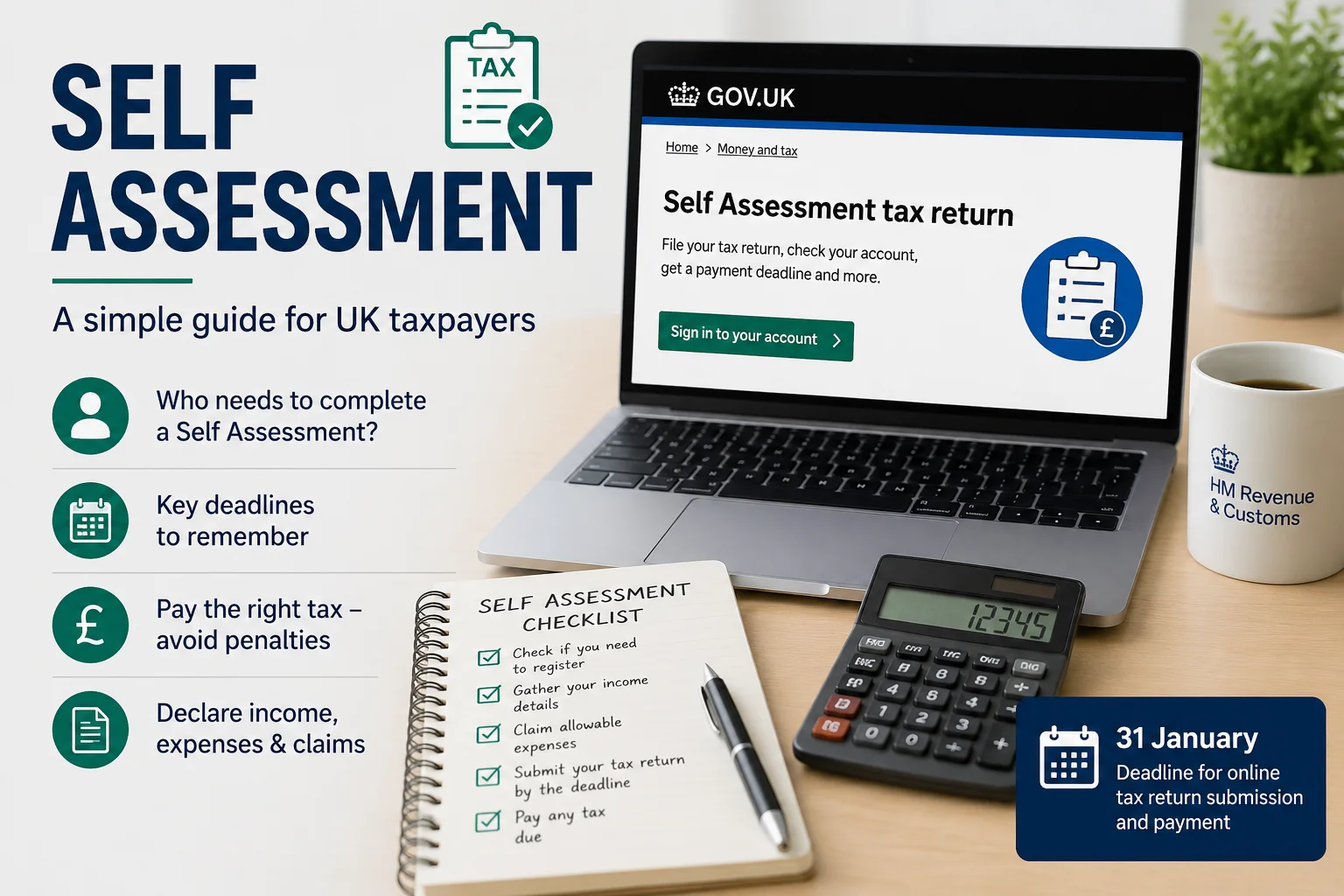
A Self Assessment tax return is HMRC’s system for collecting income tax from people whose tax is not fully deducted through PAYE. If you are self-employed, receive rental income, earn dividends, have foreign income, or make taxable capital gains, you may need to complete a Self Assessment tax return each year. Although many people search for self-assessment, the official HMRC term is Self Assessment.
Understanding how tax self-assessment works is essential because missing a deadline or reporting incorrect information can result in penalties, interest, and unnecessary stress. Knowing who must register, what income to report, and when to submit your return helps you stay compliant with HMRC while avoiding costly mistakes.
This complete guide explains what HMRC Self Assessment is, what a Self Assessment tax return is, how the filing process works, important deadlines for the 2024/25 and 2026/27 tax years, common penalties, practical examples, and how to submit your Self Assessment tax return correctly.

What is Self Assessment?
Self Assessment is HMRC’s system for collecting Income Tax from individuals and businesses whose tax is not fully deducted through PAYE. A Self Assessment tax return allows taxpayers to report their taxable income, claim eligible tax reliefs, and calculate how much tax they owe or whether they are due a refund. Although many people search for self-assessment, the official HMRC term is Self Assessment. If you are wondering what HMRC Self Assessment is or what a Self Assessment tax return is, it is simply the process HMRC uses to assess and collect tax based on the information you submit.
Self Assessment in taxation places the responsibility on taxpayers to declare their income accurately each tax year. Instead of HMRC calculating every tax liability automatically, individuals complete a tax return for Self Assessment to report income from sources such as self-employment, rental property, dividends, foreign income, partnerships, savings interest, and Capital Gains Tax where applicable. After reviewing the return, HMRC calculates the final amount of Income Tax and National Insurance contributions due.
✓ Free consultation • Expert UK Self Assessment support
How Self-Assessment Tax Return Work?
A Self Assessment tax return follows five main steps: register with HMRC, receive your Unique Taxpayer Reference (UTR), keep accurate records, submit your tax return, and pay any tax owed.
Understanding each stage helps you avoid mistakes, delays, and unnecessary penalties.
Step 1: Register with HMRC
Register for Self Assessment if HMRC requires you to complete a tax return. Most first-time taxpayers register online through their HMRC account. HMRC then verifies the information provided before creating your Self Assessment record. Registering early helps you receive your tax reference before filing deadlines.
Step 2: Receive your Unique Taxpayer Reference (UTR)
A Unique Taxpayer Reference (UTR) is a 10-digit number that identifies you within HMRC’s Self Assessment system.
You need your UTR when:
- Filing a tax return
- Contacting HMRC
- Making tax payments
- Managing your online tax account
Keep your UTR secure because you will use it every year.
Step 3: Keep accurate records
Keeping records saves time and makes your tax return easier to complete. It also helps you report the correct figures, claim allowable expenses, and respond quickly if HMRC asks for supporting evidence. Organised records reduce mistakes and make filing easier.
Useful records include:
- Sales invoices
- Purchase invoices
- Bank statements
- Expense receipts
- Dividend vouchers
- Property income records
- Pension statements
- Investment income
- Payroll records
Digital record keeping reduces errors and supports accurate reporting if the HMRC requests evidence.
Step 4: Submit your tax return
Complete each section that relates to your income, expenses, and personal circumstances. Take time to review the information before submitting your tax return. Careful checks can prevent errors, reduce delays, and help you avoid unnecessary questions or corrections from HMRC.
Before submitting your return:
- Check all income figures.
- Confirm allowable expenses.
- Review tax relief claims.
- Verify bank details.
- Check your National Insurance number.
Submitting an accurate return reduces the chance of HMRC inquiries.
Step 5: Pay the tax owed
After processing your return, HMRC calculates your tax liability. You should pay the balance by the relevant payment deadline to avoid interest and penalties. Some taxpayers also need to make payments on account towards the following tax year if their tax bill exceeds HMRC’s threshold.
How to Fill in a HMRC Self-Assessment Tax Return?
Complete a HMRC Self-Assessment tax return by gathering your financial records, logging into your HMRC account, entering your income accurately, reviewing the calculation, and submitting the return before the deadline.
Follow these steps carefully.
Step 1: Collect your financial information
Collecting all your documents before you begin will save time and make your tax return easier to complete. It helps you enter the correct figures, avoid missing income, claim valid expenses, and reduce the risk of delays or mistakes later.
These may include:
- P60
- P45
- P11D
- Bank statements
- Rental records
- Dividend vouchers
- Interest certificates
- Business accounts
- Expense receipts
Having everything ready makes the process faster.
Step 2: Sign in to your HMRC online account
Access HMRC’s online Self Assessment service using your Government Gateway account. If you are filing your first return, complete the registration process first.
Step 3: Choose the correct tax year
Select the tax year you want to complete. Always confirm you are entering information for the correct reporting period.
Step 4: Enter your personal details
Review your personal details carefully before moving to the next section. Incorrect information can delay your tax return, cause HMRC letters to go to the wrong address, or create problems when matching the return with your tax records.
Check that your:
- Name
- Address
- National Insurance number
- UTR
- Contact information
are correct before continuing.
Step 5: Report every source of taxable income
Include income from every source that applies to you. Reporting all earnings helps HMRC calculate your tax correctly and prevents future penalties. Check your documents carefully and enter the exact amounts received during the tax year.
These may include:
- Employment
- Self-employment
- Property income
- Dividends
- Interest
- Overseas income
- Partnership income
- Capital gains
Report each figure accurately.
Step 6: Claim allowable expenses and tax reliefs
Claim every legitimate expense that applies to your circumstances. For self-employed individuals, common allowable expenses include:
- Office costs
- Travel
- Professional fees
- Insurance
- Software subscriptions
- Marketing costs
- Telephone expenses
Only claim expenses that HMRC allows.
Step 7: Review your calculation
Check every figure before submission. Small mistakes can lead to incorrect tax bills or HMRC inquiries.
Review:
- Income totals
- Expense claims
- Tax reliefs
- Personal details
- Bank information
Step 8: Submit your tax return online
Submit the completed return through HMRC’s online service. Save the submission confirmation and keep a copy of the completed tax return for your records.
Step 9: Pay any tax due
After submission, HMRC calculates your final tax position. Pay any outstanding balance before the payment deadline to avoid additional charges. Many taxpayers choose professional support to ensure their return is accurate and tax-efficient. An experienced accountant can identify allowable reliefs, reduce errors, and help you remain fully compliant with HMRC requirements.
When Should I Submit My 2025/26 Self Assessment Tax Return?
Submit your 2025/26 Self Assessment tax return by the correct HMRC deadline to avoid automatic penalties and interest charges. Filing early also gives you more time to check your figures, budget for your tax bill, and correct any errors before the deadline. The 2025/26 tax year runs from 6 April 2025 to 5 April 2026. You can usually submit your online tax return after the tax year ends and once HMRC opens the filing period.
The key deadlines are:
| Action | Deadline |
|---|---|
| The tax year ends | 5 April 2026 |
| Paper tax return | 31 October 2026 |
| Online Self Assessment tax return | 31 January 2027 |
| Pay any tax owed | 31 January 2027 |
| First Payment on Account (if applicable) | 31 January 2027 |
| Second Payment on Account (if applicable) | 31 July 2027 |
Do not wait until January to prepare your return. Many taxpayers discover missing records, incorrect figures, or forgotten income at the last minute.
Submitting early offers several advantages:
- More time to correct mistakes.
- Earlier knowledge of your tax bill.
- Better cash flow planning.
- Faster processing of tax refunds.
- Less stress before the deadline.
What happens if I miss the deadline for self-assessment?
HMRC automatically charges penalties when you submit your Self Assessment tax return late. The longer the delay, the higher the penalties become. The current Self Assessment late filing penalties include
- An immediate £100 fixed penalty after the filing deadline.
- Daily penalties after longer delays where HMRC rules apply.
- Additional penalties after six months.
- Further penalties after twelve months in serious cases.
HMRC may also charge late payment interest on unpaid tax. Even if you cannot pay immediately, you should still submit your tax return on time. Filing late and paying late can result in separate penalties. If you have a genuine reason for missing the deadline, contact HMRC as soon as possible. They may consider an appeal if you have a reasonable excuse.
What happens if I don’t pay self-assessment?
Paying your Self Assessment tax bill on time helps you avoid extra costs and financial stress. HMRC may charge interest, add penalties, or begin recovery action when a payment remains unpaid. Taking early action can prevent the problem from becoming more serious.
Ignoring a tax bill can lead to:
- Late payment interest.
- Additional late payment penalties.
- Collection letters.
- Debt recovery action.
- Court action in serious cases.
If you cannot pay the full amount, contact HMRC immediately. In some situations, HMRC may agree to a time to pay arrangement, allowing you to spread payments over an agreed period.
✓ Free consultation • Expert UK Self Assessment support
Do I need to do a tax return if I am self-employed?
Most self-employed individuals must complete a Self Assessment tax return to report their business income and calculate the tax they owe. Because HMRC does not usually deduct Income tax through PAYE, self-employed taxpayers must calculate their taxable profits themselves. A self-employed tax return normally includes business income, allowable business expenses, taxable profit, National Insurance contributions, and any other personal income. All figures must be reported accurately to avoid mistakes, penalties, or an incorrect tax bill.
Keeping accurate bookkeeping records throughout the year makes the process much easier. Professional self-employed tax return help can also reduce errors and ensure you claim all allowable business expenses.
What happens if I stop being self-employed?
Ending self-employment does not automatically end your tax responsibilities. You may still need to update HMRC, report your final income, and complete one last tax return. Taking these steps correctly helps prevent future notices, penalties, or unexpected tax problems later.
You normally need to:
- Tell HMRC that your business has stopped.
- Submit a final tax return if required.
- Report your final business income.
- Declare any balancing adjustments.
- Keep your business records for the required period.
If you become employed again, HMRC may return you to the PAYE system once your Self Assessment obligations end.
Do I Need to Complete a Tax Return?
You may need to complete a Self Assessment tax return if you receive income that is not fully taxed through PAYE. This ensures HMRC has complete details of your taxable income and can calculate the correct amount of tax due.
Common examples include self-employed income, rental income, partnership profits, foreign income, capital gains, dividend income above the relevant allowances, and other significant untaxed income.
HMRC may also send you a formal notice requiring you to file a tax return, even when you believe little or no tax is payable. You should always follow the instructions and submit the return by the stated deadline.
When to submit tax return?
The UK tax year runs from 6 April to 5 April of the following year. After the tax year ends, you must report your income to HMRC if you are required to file a Self Assessment return. The deadline depends on whether you submit a paper tax return or an online tax return.
For most taxpayers, online filing is the preferred option because it gives you three extra months compared to paper filing and allows faster processing.
| Tax Year | Income Covered | Tax Year Ends | Paper Tax Return | Online Tax Return | Tax Payment |
|---|---|---|---|---|---|
| 2025/26 | 6 April 2025 – 5 April 2026 | 5 April 2026 | 31 October 2026 | 31 January 2027 | 31 January 2027 |
| 2026/27 | 6 April 2026 – 5 April 2027 | 5 April 2027 | 31 October 2027 | 31 January 2028 | 31 January 2028 |
What are the self-assessment examples?
Self Assessment applies to individuals who receive taxable income that is not fully collected through PAYE. While many people associate Self Assessment with self-employment, HMRC requires different types of taxpayers to complete a Self Assessment tax return depending on their income and financial circumstances.
For example,
A landlord who earns taxable rental income may also need to complete a Self Assessment tax return. Rental profits from residential or commercial properties must usually be reported to HMRC after deducting any allowable property expenses.
Self Assessment can also apply to company directors who receive income outside PAYE, such as dividends or rental income. Similarly, business partners report their share of partnership profits through their own Self Assessment tax returns, even though the partnership submits a separate partnership return.
How to use the HMRC app for your Self Assessment?
The HMRC app allows you to manage parts of your Self Assessment account from your smartphone or tablet. It provides quick access to important tax information without signing in through a web browser each time. After downloading the HMRC app and signing in with your Government Gateway details, you can
- Check your Unique Taxpayer Reference (UTR).
- View your Self Assessment account.
- See payment information.
- Check tax calculations.
- Make secure payments.
- Receive HMRC messages.
- View previous submissions where available.
The app is useful for monitoring your tax position throughout the year. However, some complex changes or detailed tax return sections may still require you to use HMRC’s online Self Assessment service through a web browser. Keeping your contact details up to date within your HMRC account also helps you receive important notifications promptly.
Who needs to file a Self Assessment?
People commonly required to file include sole traders, business partners, landlords with taxable rental income, individuals receiving foreign income, and those reporting capital gains. You may also need to file if you receive other untaxed income or a formal notice from HMRC.
You must complete a Self Assessment tax return when HMRC requires you to report taxable income that has not been fully collected through PAYE.
How to do a self-assessment
To complete a Self Assessment tax return, you must first register with HMRC if required and obtain your Unique Taxpayer Reference. You should then keep accurate financial records and gather all supporting documents, including details of income, expenses, tax reliefs, and any tax already paid.
Complete each section of the online tax return carefully and check every figure before submitting it. Filing well before the deadline gives you time to correct mistakes and prepare for any tax payment due. You must also pay the outstanding tax by the relevant payment deadline.
The process is much easier when you organise your records throughout the year instead of waiting until January. Many taxpayers use accounting software to manage their finances, while others work with a qualified accountant to reduce errors and claim all available expenses and tax reliefs.
Is it worth paying someone to complete your tax return?
Paying an accountant can save time, reduce errors, and help you claim legitimate tax reliefs. Although straightforward tax returns can often be completed independently, more complex situations usually benefit from professional advice.
Examples include:
- Self-employment.
- Rental property income.
- Foreign income.
- Capital gains.
- Multiple income sources.
- Company directors.
- Partnerships.
An accountant can also:
- Check your calculations.
- Identify allowable expenses.
- Reduce the risk of penalties.
- Deal with HMRC correspondence.
- Help you plan for future tax liabilities.
Professional advice often provides peace of mind, particularly where tax rules are more complicated.
When can I submit my Self Assessment tax return?
You can usually submit your online Self Assessment tax return after the relevant tax year ends, and HMRC opens the filing period. For example, once the tax year finishes on 5 April, you can begin preparing and submitting your return for that year.
Filing early allows you to find out your tax bill sooner and plan your finances more effectively. It also reduces the risk of last-minute mistakes and may help you receive any tax repayment more quickly. Submitting your return early does not usually mean you must pay the tax immediately. The normal Self Assessment payment deadline will still apply.
How can I get my tax refund online?
HMRC may issue a tax refund after processing your Self Assessment tax return if you have paid more tax than you owe. When a repayment is due, you can usually claim it through your official HMRC online account.
Before requesting your refund, check that your bank details are correct and review your tax calculation carefully. Make sure all information on your return is accurate and respond promptly if HMRC asks for further details.
Refund processing times can vary depending on your circumstances and whether HMRC needs to review your return. Always access repayment information through your official HMRC account and be cautious of fraudulent emails or text messages offering tax refunds.
Is there a deadline for tax returns in the UK?
HMRC has clear deadlines for filing Self Assessment tax returns and paying the tax owed. Knowing these dates helps you plan, organise your financial records, avoid last-minute pressure, and reduce the risk of penalties or additional interest charges.
How do I download my HMRC tax return?
You can download copies of previously submitted Self Assessment tax returns through your HMRC online account. Sign in using your Government Gateway details, open the Self Assessment section, and view your previous returns.
Select the required tax year, then download or print a copy of the return for your records. You should store each return securely with the supporting financial documents for that period.
Keeping copies of submitted tax returns is good practice. They may be required when applying for a mortgage, business finance, or a visa. They can also help you respond to future HMRC questions or check figures reported in earlier years.
Frequently Asked Questions
Who needs to complete a Self Assessment tax return?
When is the deadline to submit my Self Assessment?
How do I register for Self Assessment?
What information do I need to complete the tax return?
What happens if I miss the deadline?
How do I pay the tax I owe?

About the Author: Ahmad Raza